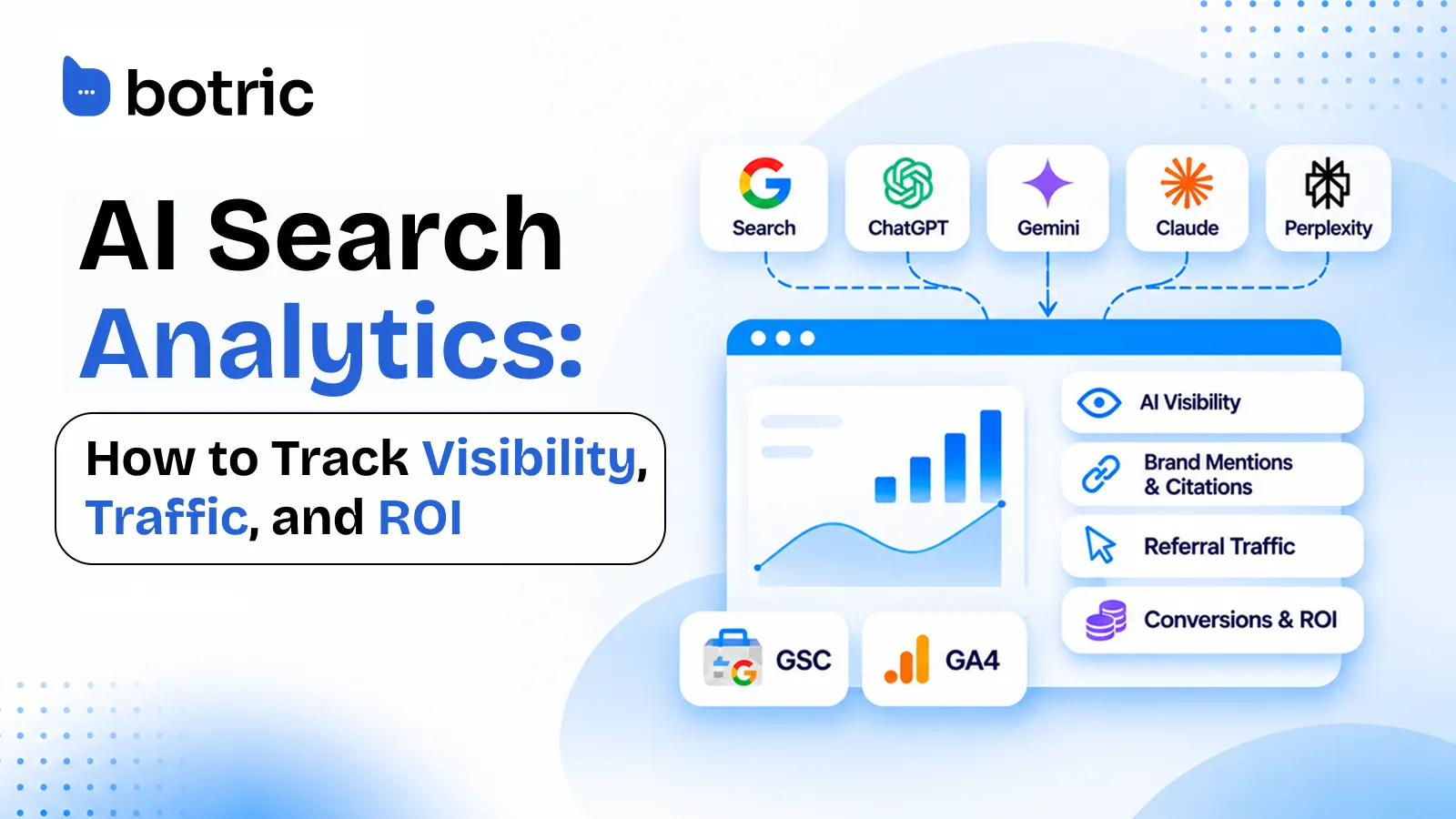
Search traffic no longer tells the whole story of how people discover a business. Someone might find a product in an AI-generated recommendation, follow a source link to a website, or remember the brand and search for it later. At the same time, AI crawlers may request website content without representing a potential customer at all.
AI search analytics brings these different signals into focus. It helps businesses understand their visibility in AI-generated answers alongside the website traffic, engagement, and commercial outcomes they can measure.
As discovery spreads across Google Search, ChatGPT, Gemini, Perplexity, Claude, and other experiences, businesses need to answer two connected questions: Where are we becoming visible in AI search? And what does that visibility mean for website traffic and business results?
That is where AI search analytics comes in. This guide explains how to track AI visibility, measure search and referral performance, understand differences between the numbers, and turn what you learn into better marketing decisions.
Quick Answer: How Do You Measure AI Search Performance?
Start by monitoring the questions potential customers ask AI assistants. Track when your brand is mentioned, when your website is cited, which sources support the answer, and how your visibility changes across platforms and reporting periods.
Then connect those observations with Google Search Console (GSC) and Google Analytics 4 (GA4). Search Console shows your broader Google Search performance and, through a separate report, impressions from supported Google AI features. GA4 shows identifiable visits referred by AI assistants, along with engagement and important website actions.
AI visibility tells you how your brand appears in AI answers. AI search analytics brings that visibility together with traffic and business performance. The goal is not to force the numbers into a single conversion funnel. It is to see what each source reveals, where meaningful gaps exist, and what deserves attention next.
What Is AI Search Analytics?
AI search analytics is the process of measuring a brand's presence in AI-generated answers and understanding the search exposure, website visits, and business activity associated with AI-driven discovery.
AI visibility is a central part of that process. It tells you whether your brand is mentioned, whether your content is cited, and which buyer questions you appear for. Analytics adds another layer: whether that discovery is associated with measurable visits, which pages receive them, and what visitors do next.
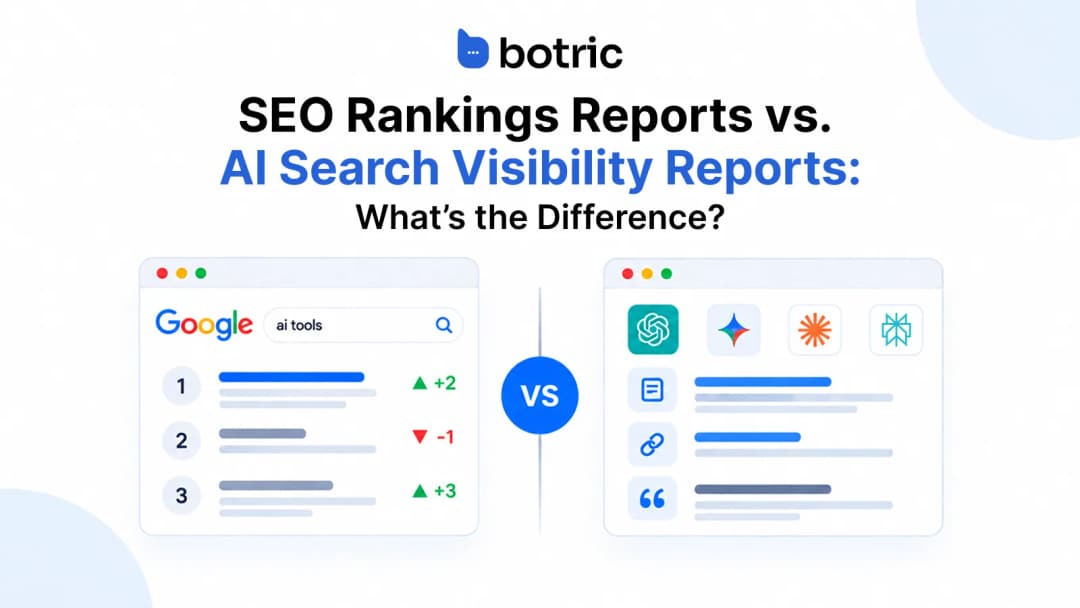
It complements traditional SEO analytics rather than replacing it. Google rankings, impressions, and clicks still matter, but they cannot describe every recommendation or citation that happens inside an AI-generated answer.
Understand the Different AI Search Signals
AI search generates several types of signals, from brand mentions and website citations to referral visits and conversions.
Each represents a different activity and comes from a different data source. Understanding these differences is essential before deciding which metrics to track.
| Signal | What it shows | Where to measure it | What it cannot establish |
|---|---|---|---|
| AI crawler activity | An automated system requested website content | Server or CDN logs | That a person visited the page |
| Brand mention | An AI answer named your brand or product | Prompt and answer monitoring | That your website was cited or clicked |
| Website citation | An AI answer referenced a URL from your domain | Citation and source tracking | That the answer recommended your brand or sent traffic |
| Google AI impression | A link to your site appeared in a supported Google generative AI feature | GSC Generative AI performance report | That a visit or conversion occurred |
| AI Assistant referral | An identifiable session was attributed to a recognized AI assistant | GA4 and AI traffic analytics | The full influence of AI answers, including no-click discovery |
| Valuable website action | A tracked signup, qualified lead, purchase, or other business event | GA4 and business systems | That all preceding brand discovery came from AI search |
These measurements describe different activities. An increase in citations with little change in referrals is not automatically a reporting problem. It may mean people are finding answers without clicking, or that the prompts being monitored differ from the ones sending traffic.
Google Analytics excludes known bots and spiders from reporting, so its AI Assistant channel should not be interpreted as a measure of crawler activity. For crawler investigations, review server-side data.
How to Track AI Search Performance in Botric
Botric brings AI visibility tracking and connected website analytics into one workspace, helping businesses understand where their brand appears in AI-generated answers and what measurable traffic reaches their website.
Inside the Analytics area, three tabs organize the reporting: AI Traffic, Google Analytics, and Google Search Console. The separate AI Visibility (GEO), Prompts, and Citations views add answer-level context. Together, they make it easier to investigate a business question without treating every number as a single funnel.
See Which AI Assistants Send Visitors to Your Website
Open Analytics → AI Traffic to review AI-referred visits, AI visitors, engagement rate, and AI traffic's share of overall website traffic. The dashboard breaks visits down by assistant and charts how the sources change across the selected date range.
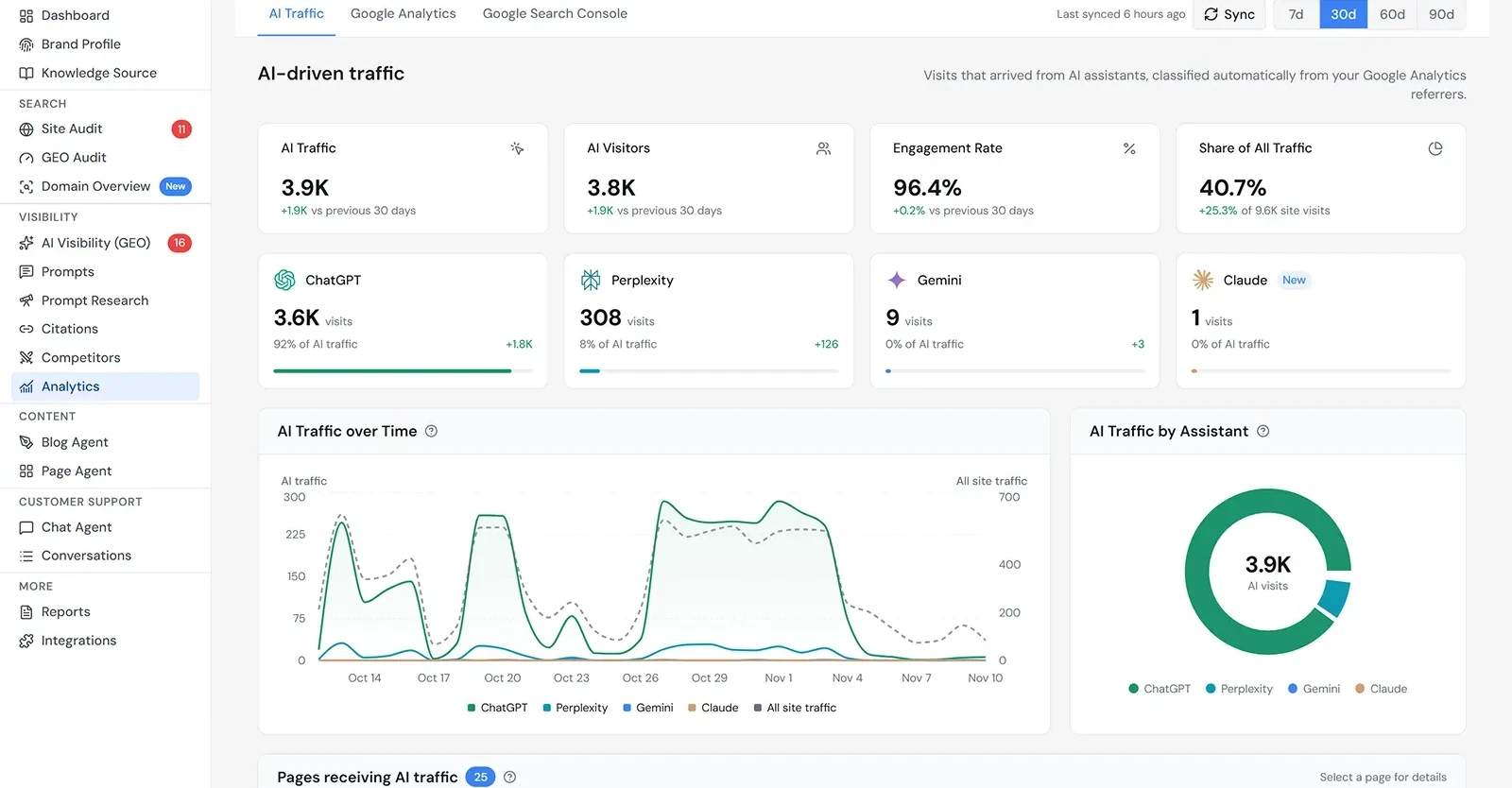
This view helps answer questions such as: Which assistants are actually sending traffic? Is AI referral traffic growing or falling? Is the change concentrated in one source or visible across several?
Find the Pages Receiving AI Traffic
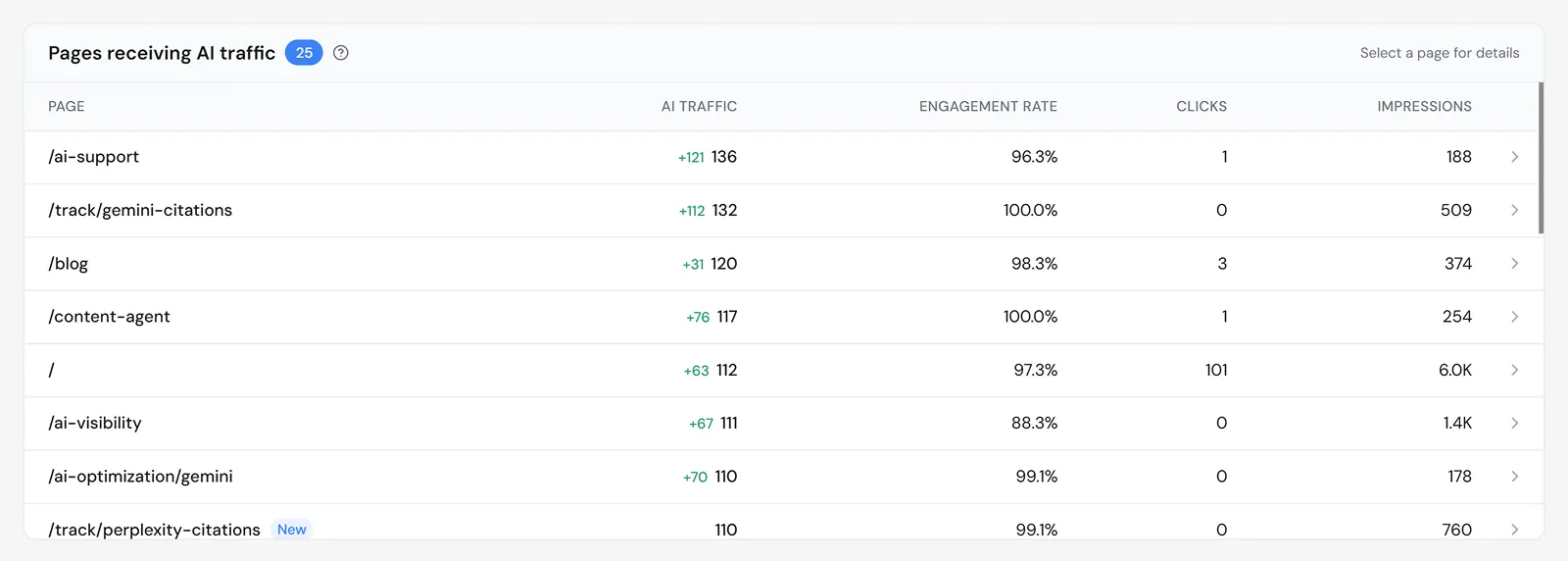
The Pages receiving AI traffic table identifies the landing pages associated with AI referrals and displays page-level information such as traffic and engagement. This also includes clicks and impressions, which should be interpreted according to their search-data definitions rather than treated as AI referral clicks or AI-answer impressions.
Compare AI Referrals With the Wider Traffic Mix
Open Analytics → Google Analytics to see connected GA4 reporting alongside the AI Traffic view. Botric displays website activity such as active and new users, sessions, engagement, acquisition channels, popular pages, geographic breakdowns, and events.
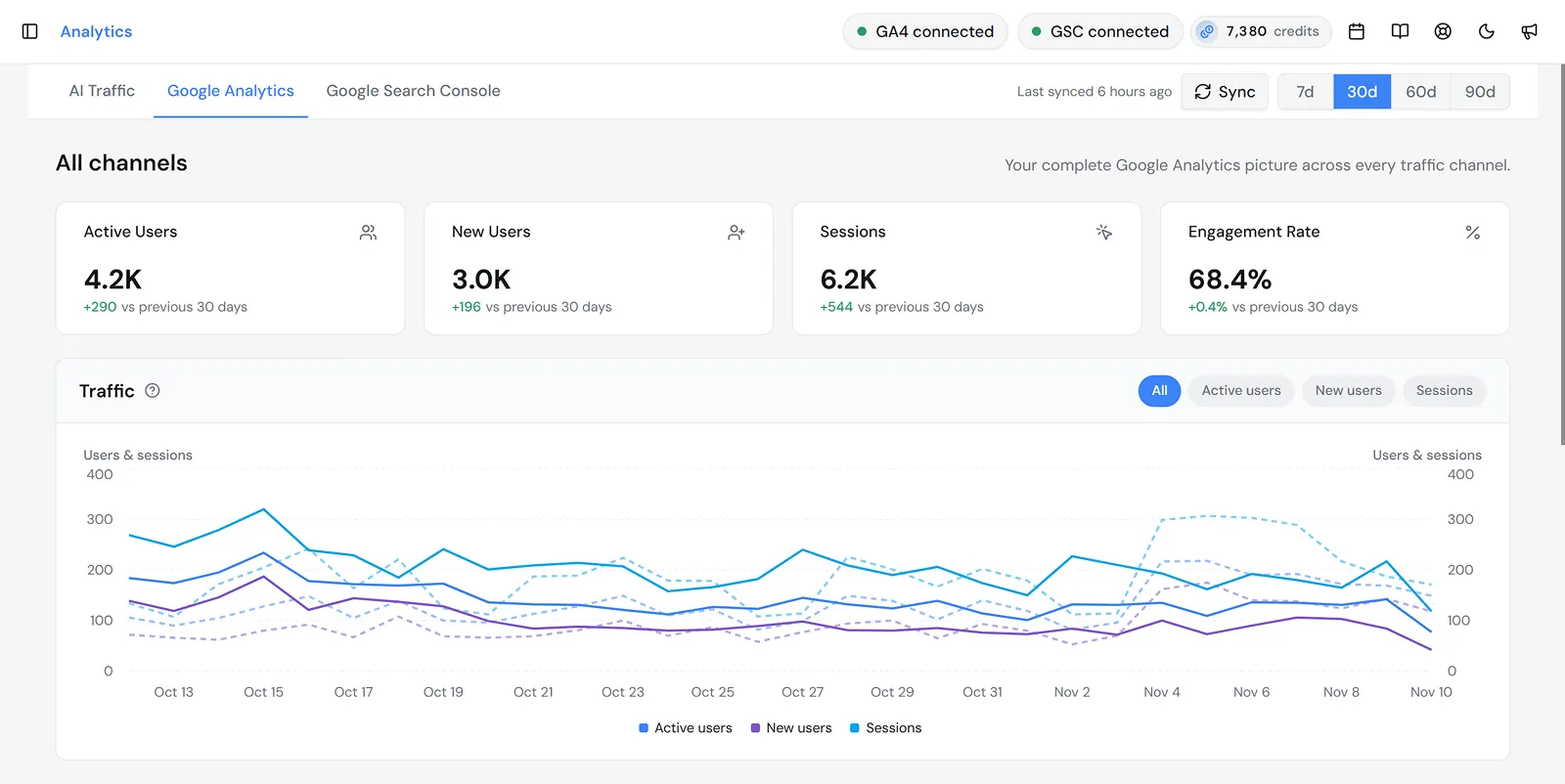
This is where the traffic context becomes useful. A marketing team can compare the relative contribution of AI Assistant referrals with other acquisition channels, review which pages people visit, and identify events that deserve further investigation.
An engagement event is not automatically a qualified lead. To assess signups, demo requests, or revenue, confirm that meaningful conversion events are configured correctly and analyzed for the relevant traffic source.
Review Google Search Performance Alongside AI Traffic
The Analytics → Google Search Console tab displays standard search performance: clicks, impressions, average CTR, average position, and supporting breakdowns for queries, pages, countries, devices, and dates.
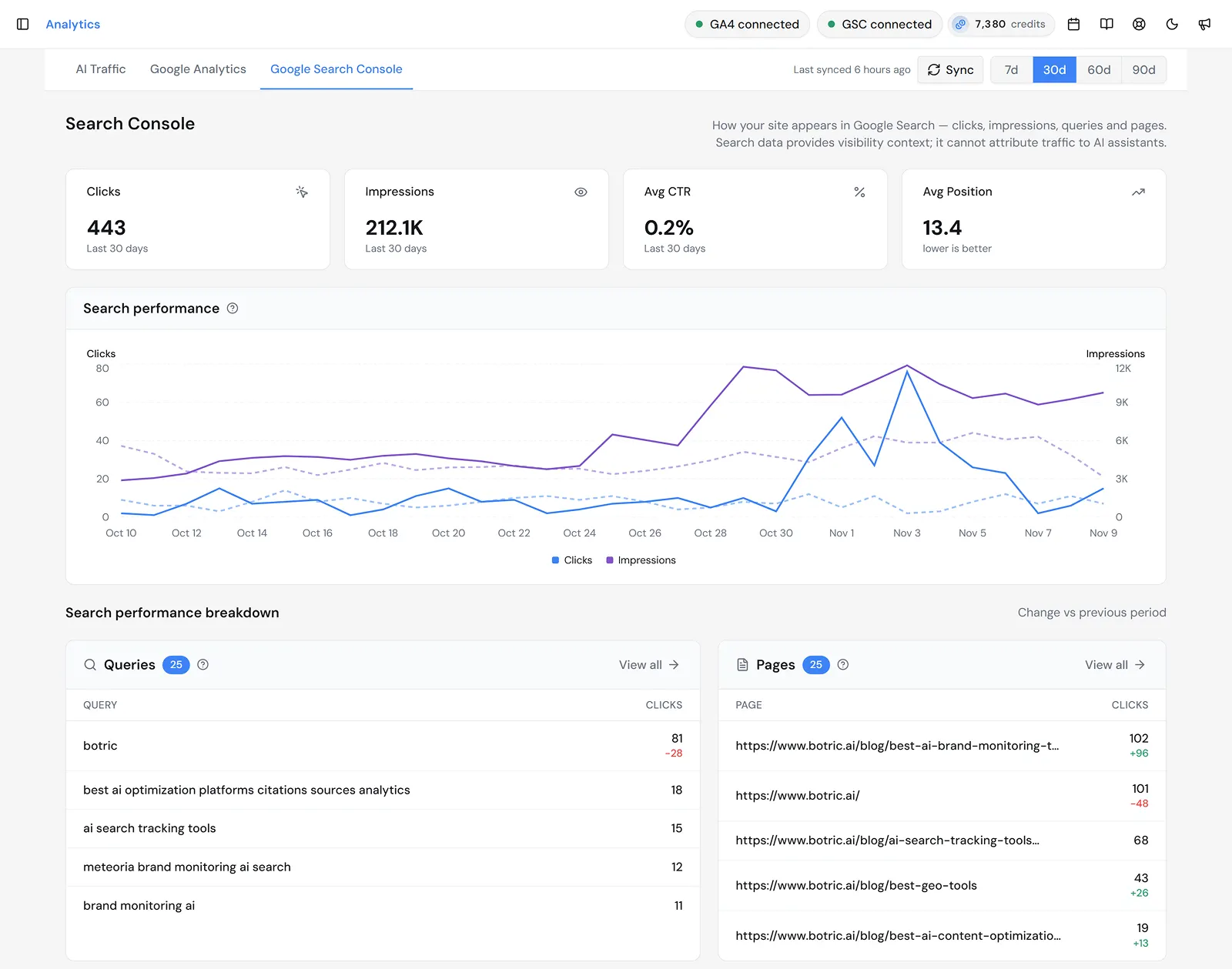
These metrics help place AI discovery in the context of wider search performance. For instance, an article may receive exposure in Google Search while a different page receives more identifiable AI referrals. Looking at both can inform which content deserves attention.
Do not treat the standard GSC impressions shown here as impressions from Google's dedicated Generative AI performance report. That specialized report is accessed in the Search Console itself.
Connect Traffic Insights With AI Mentions and Citations
Website analytics cannot tell you everything an AI assistant says about your brand. To investigate that, use AI Visibility (GEO), Prompts, and Citations within Botric to review monitored buyer questions, brand appearances, and sources referenced in answers.
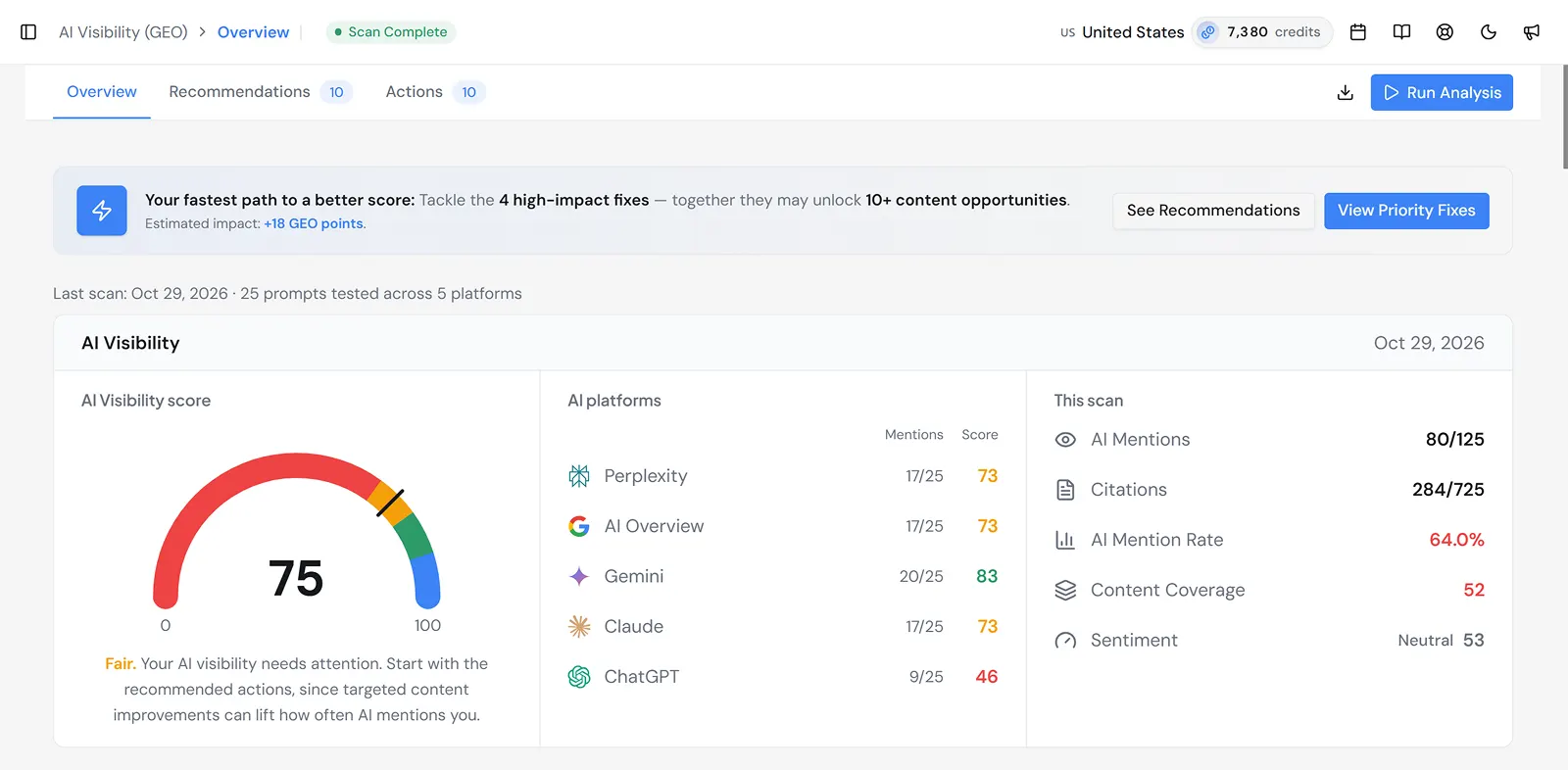
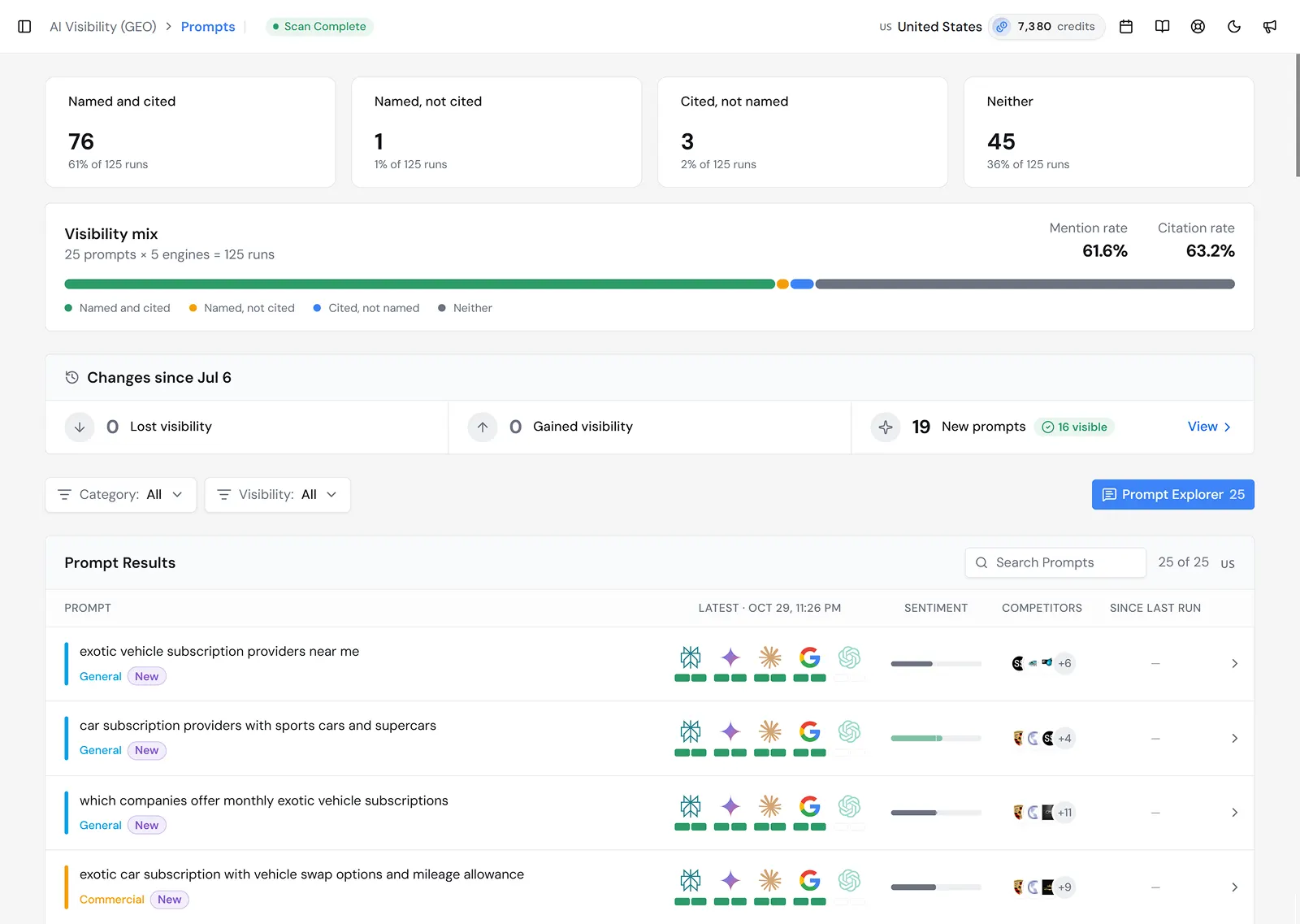
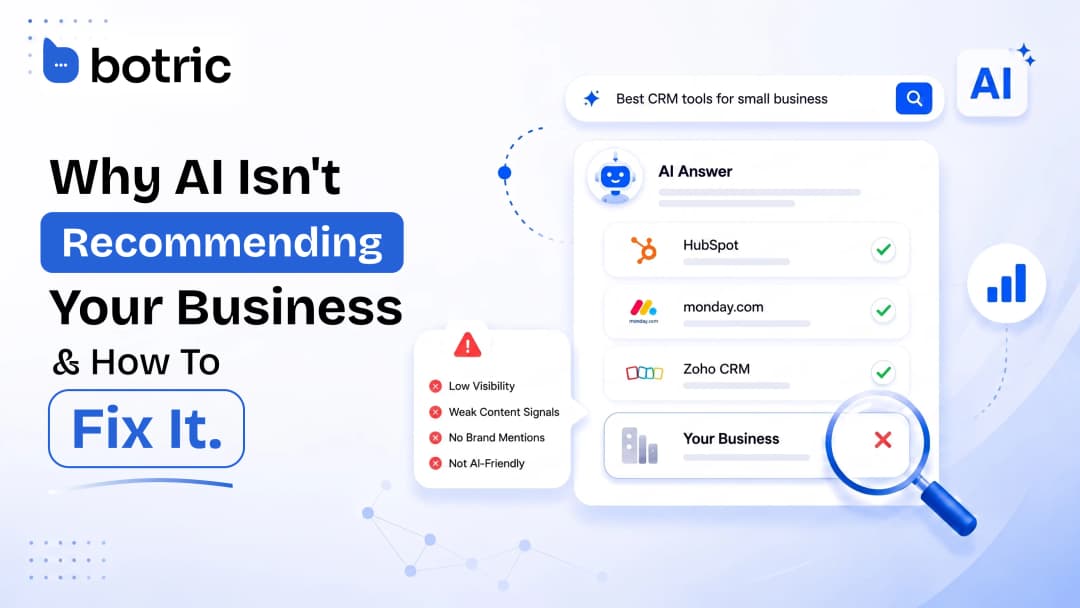
These views help distinguish different opportunities: a brand may be mentioned without an owned-domain citation, a page may be cited without a brand recommendation, or a website may receive AI referrals from questions outside its monitored prompt set. The useful next step is to compare the evidence, not assume that any one metric caused another.
How to Turn Botric Analytics Into Actionable Insights
Once the relevant data is available, use a consistent review process to understand what is working and which opportunities deserve attention.
- Start with AI visibility: Review monitored prompts, brand mentions, and citations to identify where your business appears and which buyer questions remain underrepresented.
- Check AI referral traffic: Open AI Traffic to identify which assistants send visitors and which pages receive those visits.
- Evaluate visitor behavior: Use Google Analytics to examine engagement, acquisition channels, and relevant actions for identifiable AI-referred traffic.
- Review Google Search performance: Use Search Console to compare the site's broader search visibility, top queries, and landing-page performance.
- Decide what to improve: Investigate missing content, unclear product information, weak visitor journeys, or attribution issues based on the evidence.
- Measure the outcome: Review the same relevant metrics after implementing changes to understand how performance develops.
This process connects AI visibility with website analytics while keeping the measurements distinct. It helps teams move from reporting what happened to deciding what to improve next.
Which AI Search Metrics Are Worth Tracking?
Once you understand the different signals, the next step is deciding what to measure.
The following AI search metrics help you track brand visibility, evaluate website traffic, compare competitor performance, and identify opportunities for improvement.
| Metric | How to interpret it | Decision it supports |
|---|---|---|
| Brand mention rate | Share of monitored answer runs that name your brand | Which buyer questions and platforms show brand visibility? |
| Owned-site citation rate | Share of monitored answer runs that cite at least one URL from your domain | Is your own content being used as a source? |
| Cited URLs | Specific owned or third-party source pages used in answers | Which pages provide useful evidence, and where are the gaps? |
| Coverage by buyer intent | Mention and citation results grouped by problem, category, use case, comparison, or brand question | Are you visible when buyers are evaluating solutions, not only searching your name? |
| Share of voice in a tracked sample | Relative brand appearances among a defined set of monitored answers | How does visibility compare across the same questions and platforms? |
| Google AI impressions | Links shown in supported Google AI features | Which pages gain exposure in Google's generative search experiences? |
| AI Assistant sessions | Identifiable sessions attributed to recognized assistants | Which platforms send visitors to your site? |
| Engagement and key events | What those visitors do after arriving | Are they taking meaningful actions? |
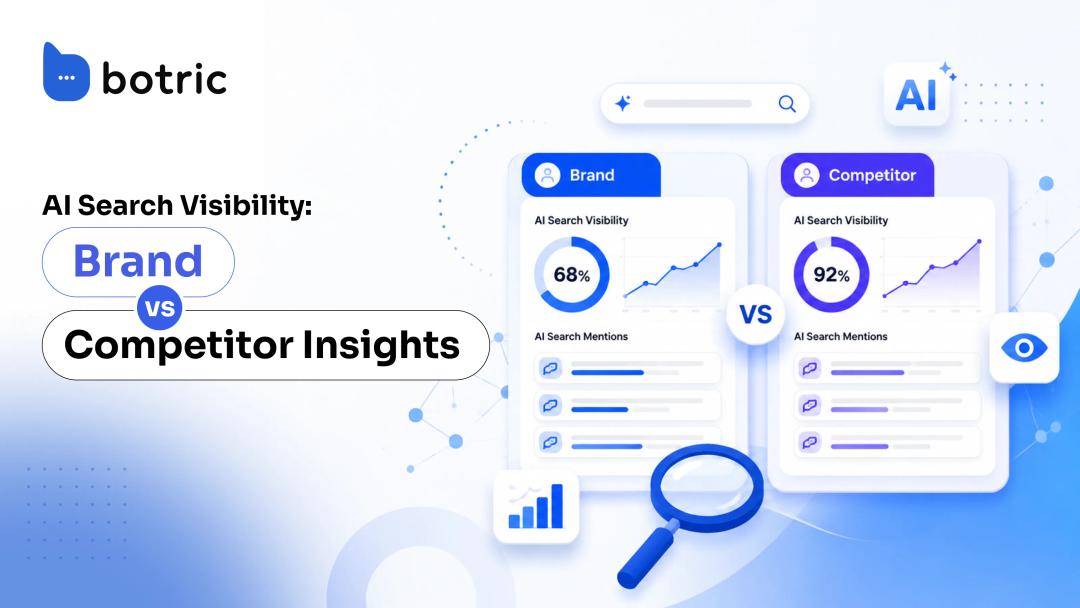
In Botric, you can track these metrics across AI Visibility (GEO), Prompts, Citations, and Analytics. Review brand mentions, citation performance, competitor visibility, and the pages appearing as sources in AI answers.
A Mention Is Not the Same as a Citation
A mention describes brand visibility. An assistant might name your product in a recommendation, list it as one option, or refer to it in passing. The surrounding language matters: appearing in a neutral comparison is different from being recommended for a particular need.
A citation describes where the answer gets supporting information. If an assistant references your product page, documentation, or article, your website has earned a citation. But your page might be cited without the brand being named. The reverse can happen too: an answer may recommend your product while citing an independent source.
That creates four different situations:
- Brand Mentioned, Own Site Cited: Your brand appears in the AI answer, supported by your website. Check whether the cited page addresses the buyer's next question.
- Brand Mentioned, Own Site Not Cited: Your brand appears in the AI answer, but your website is not among the cited sources. Check which external pages support the response and whether your own content provides the relevant information.
- Own Site Cited, Brand Not Mentioned: AI references your content without mentioning your brand. Review whether your brand identity and product relevance are clear.
- Neither Mentioned Nor Cited: Your brand has no observed visibility in the monitored answer. Check whether the topic is relevant, adequately covered, and discoverable.
One missing mention is not evidence that you never appear for that topic. AI answers vary, and your monitoring only covers a sample of questions and runs.
For example, Botric lets you review monitored prompts to see whether your brand appears in an AI answer, then inspect the cited sources to understand which websites support that response. If your brand is mentioned but competitors' pages are cited, you can investigate whether your own content provides the information needed to support that answer.
How to Calculate AI Search Analytics Metrics
For your own repeatable measurement, calculate:
- Observed mention rate = (Number of monitored AI answer runs that mention the brand ÷ Total number of eligible monitored AI answer runs) × 100
- Observed owned citation rate = (Number of eligible monitored AI answer runs citing your website's domain ÷ Total eligible monitored AI answer runs) × 100
- AI Assistant session key event rate = (Number of AI Assistant sessions in which the selected key event occurred ÷ Total AI Assistant sessions) × 100
Keep branded and non-branded questions separate, and report results by platform when useful. If the same prompt is tested multiple times, make clear whether the denominator counts prompts or individual answer runs. Share-of-voice definitions can vary between tools, so document yours rather than treating every percentage as interchangeable.
Research on repeated generative-search sampling has found that citations may vary across runs. The practical takeaway is to compare trends from a stable measurement design rather than interpreting a single answer as a fixed ranking.
How to Track AI Visibility Across AI Search Platforms
Tracking AI visibility starts with questions your customers are likely to ask, not simply collecting a large number of prompts.
- Choose relevant buyer questions. Start with customer conversations, product use cases, sales objections, and questions that influence product evaluation. Include discovery, comparison, and solution-specific intent.
- Separate branded from non-branded prompts. Branded questions test whether assistants describe your business accurately. Non-branded questions show whether you appear when buyers do not yet know your name.
- Select the platforms that matter. Monitor the AI experiences your audience uses, and maintain a consistent set of prompts for each.
- Establish a baseline. Record brand mentions, owned citations, cited URLs, and the answer context. Compare other brands appearing in the same monitored answers where relevant.
- Repeat and interpret. Recheck a stable sample over time. Look for recurring gaps rather than reacting to one changing answer.
A useful baseline should leave you with more than a percentage: it should identify which questions are worth investigating, which sources are appearing, and where your own information may be incomplete.
Prompt monitoring measures observed answers, not every AI search made by every customer. Use it for structured comparison, then check website analytics to understand the separate question of identifiable visitor behavior.
How to Measure AI Search Performance With GSC and GA4
AI visibility tracking shows what happens in the answer. Search Console and GA4 show complementary signals after, or alongside, that discovery. Neither is a replacement for answer monitoring.
Google Search Console: Regular Search vs. AI Impressions
Standard Search Console reports show clicks, impressions, CTR, average position, and breakdowns for queries and pages. Those measurements help you see which topics and pages appear in Google Search. They are not a standalone record of AI mentions or assistant referral sessions.
Google also introduced a dedicated Generative AI performance report for Search. It shows impressions of links to your site in supported generative AI features, including AI Overviews and AI Mode, with page, country, device, and date breakdowns. The dedicated report does not supply prompt-level questions, a standalone AI click count, or a conversion rate.
This matters because standard search performance and the dedicated AI impression report answer different questions. Do not call a standard GSC impression an AI Overview impression, and do not divide standard Google clicks by dedicated AI impressions to create a supposed AI CTR.
GA4: Identifiable AI Assistant Traffic
In May 2026, Google Analytics added an AI Assistant channel to the default channel group for recognized AI-assistant referrals. In GA4, open Reports → Acquisition → Traffic acquisition and use the Session default channel group dimension. From there, review AI Assistant sessions, source details, engagement, landing pages, and key events. A custom channel group may be helpful for specialized analysis, but it is not the mandatory starting point.
Google AI Overviews and AI Mode are classified under Organic Search, not the AI Assistant channel. Visitors influenced by an answer who later navigate directly or through another source may also fall outside the identifiable AI referral bucket.
Engagement rate measures how users interact with your website, not whether they are qualified buyers. In GA4, an engaged session is one that lasts longer than 10 seconds, includes a key event, or has at least two page or screen views. To assess commercial value, examine qualified signups, demo requests, sales activity, and other meaningful outcomes separately.
To assess business value, define meaningful key events such as a completed signup or qualified demo request, segment them by session source or channel, and check the underlying lead quality. A site-wide form_submit event count should never be presented as the number of leads generated by AI Assistant traffic without filtering and validation.
Keep the Data Sources Separate, Then Compare Them
| Source | Gives you | Does not give you |
|---|---|---|
| AI answer monitoring | Sampled mentions, citations, prompt and platform coverage | All real user queries or all impressions |
| GSC regular Search performance | Standard Google clicks, impressions, CTR, and query/page data | A clean AI-only citation or conversion report |
| GSC Generative AI report | Google AI-feature link impressions by supported dimensions | Prompt-level answers or AI-only attributable leads |
| GA4 AI Assistant channel | Recognized assistant referrals and observed site behavior | Every no-click recommendation or Google AI click as a separate assistant channel |
Compare the same reporting period where possible, but check metric scope, time zone, canonical URLs versus landing-page paths, filters, and data freshness before comparing individual rows.
A Practical AI Search Analytics Decision Matrix
Use this matrix after the reporting check, not as a shortcut to a predetermined optimization.
| Confirmed observation | First question | Potential action | How to judge the result |
|---|---|---|---|
| Relevant non-branded prompts repeatedly omit the brand | Does the product meet the need, and does the site prove it? | Improve the relevant product or use-case explanation | Recheck the same prompt set and source evidence |
| Brand appears, but only external sources are cited | Does your own site provide verifiable answers? | Correct missing or outdated product details | Track owned-domain citation results and page relevance |
| A page earns AI referrals but few qualified actions | Are visitors finding a relevant next step? | Review messaging, navigation, and signup path | Compare AI Assistant–segmented key event outcomes |
| Search impressions rise but clicks stay weak | Which queries and results are generating the impressions? | Review snippet relevance, search intent, and landing-page usefulness | Monitor query- and page-level clicks and CTR |
| AI traffic spikes sharply | Is source and event classification reliable? | Audit referrers, internal visits, tagging, and bot filtering | Confirm cleaner, stable reporting over time |
How to Evaluate AI Search ROI
AI visibility is an important business signal, but mentions, citations, and impressions are not revenue. To evaluate the commercial contribution of AI search, distinguish three levels of evidence:
- Observed visibility: mentions, citations, and AI feature impressions. These are exposure signals, not revenue.
- Observed referral performance: identifiable assistant sessions, session key event rate, and qualified leads where reliable channel-level measurement is available.
- Attributed business value: outcomes supported by the analytics setup, lead definitions, and attribution model. Label estimates or assisted influence separately from directly observed activity.
For example, if the overall GA4 report displays many form_submit events, it is not valid to call those AI-generated leads without checking the channel and whether each submission represents a real sales opportunity. Likewise, you cannot divide AI referral sessions by Google AI impressions to calculate a meaningful conversion rate between those independent populations.
For example, Botric's AI Traffic dashboard helps identify AI-referred visits and the landing pages attracting them, while connected Google Analytics reporting provides engagement and event data.
Together, these insights help teams investigate how AI referral traffic contributes to meaningful website actions and evaluate qualified leads or revenue using their existing attribution setup.
Common AI Search Analytics Mistakes
- Counting every AI-related event as traffic. Crawls, citations, and referrals are different signals collected by different systems.
- Comparing dashboards without checking definitions. Visits, sessions, users, standard search clicks, and AI impressions have different units and filters. Matching a 30-day selector does not guarantee equivalent counting.
- Calling engagement a conversion. Engagement rate describes session behavior; it does not measure how many visitors became customers.
- Treating a small, changing prompt list as a market census. A monitored sample is useful for repeatable comparisons, but it is not an estimate of every answer every buyer saw.
- Explaining every weak Google CTR with AI search. Search intent, rank, result presentation, and many other factors can affect clicks. Diagnose before assigning a cause.
- Collecting metrics without making decisions. A good analytics process ends with a validated finding, a named next step, and a plan to review the result.
Conclusion
AI search analytics matters because visibility inside AI answers and activity on your website are related, but not interchangeable. A business can appear in an answer without receiving a visit, earn a citation without being recommended, and attract assistant referrals that are not obvious from Google Search clicks alone.
Start by tracking the buyer questions that matter. Monitor mentions and citations to understand AI visibility, use Search Console and GA4 to examine the search and website performance those systems can observe, and look for patterns that lead to a defensible next action.
Want to understand your brand's AI search performance? Try Botric to monitor AI visibility, investigate citations, and connect your search and website analytics.
Frequently Asked Questions
Is AI Search Analytics the Same as AI Visibility Tracking?
No. AI visibility tracking measures brand appearances, citations, and source context in monitored AI answers. AI search analytics includes those signals and examines relevant search exposure, identifiable AI referrals, visitor behavior, and business outcomes.
How Do You Measure AI Search Visibility?
Monitor a consistent set of buyer questions across relevant AI platforms. Record brand mentions, owned-domain citations, cited URLs, and answer context. Compare repeated observations over time, then use web analytics as a separate source of traffic and business-performance evidence.
What Is the Difference Between an AI Mention and an AI Citation?
A mention names the brand. A citation references a source. An answer can mention a brand while citing an external page, or cite your page without recommending your product. Track the two outcomes separately.
Can GA4 Track Visits From ChatGPT and Other AI Assistants?
Yes, when recognized attribution signals are available. GA4's AI Assistant channel reports identifiable assistant referrals. It does not measure no-click discovery, and Google AI Overviews and AI Mode remain within Organic Search.
Does Google Search Console Show AI Overview Performance?
Yes. The dedicated Generative AI performance report shows link impressions from supported Google AI search features. Clicks from those features are included in standard Search performance reporting, but the dedicated report does not isolate those clicks or provide the exact prompts.
Why Can AI Traffic Increase While Citations Stay Flat?
Visitors may arrive from prompts or experiences outside your monitored sample, or reporting classifications may change. Compare periods, landing pages, sources, and prompt coverage before assuming that one of the measurements is wrong.
How Does Botric Combine AI Visibility, GA4, and Search Console?
Botric brings AI visibility tracking, prompt monitoring, citation analysis, AI referral traffic, and connected Google Analytics and Search Console data into one workspace. Teams can see where their brand appears in AI answers, which assistants send website visitors, and how those visits compare with broader search performance.