Your support team answers the same 30 questions every day. A customer asks about order status at 2 AM and waits until morning. A new hire responds off-brand and a complaint lands in your inbox. These are not isolated problems, they are the natural limits of human-only support.
AI chat agents can handle up to 80% of customer inquiries without human intervention, operating 24/7 in your brand's voice, routing complex issues to the right person, and surfacing buying intent before your team spends a minute on it. The gap between brands that have deployed these agents and those that haven't is widening fast.
This guide walks through the five steps to set up an AI chat agent that feels on-brand, answers accurately, and gets better over time, using Botric.
Step 1: Assess Your Brand Voice and Response Requirements
The biggest mistake teams make when setting up AI chat agents is skipping straight to the technology. Before configuring anything, you need to define how your brand communicates and which customer interactions you want the AI to handle. Get this wrong, and you end up with an agent that answers correctly but feels completely off-brand.
"A miscalibrated bot repeats the same tonal mistake thousands of times per day."
Define Your Brand's Tone and Style
Start by reviewing your existing materials, style guides, mission statements, past marketing copy, and extract your baseline voice. Choose 2–4 adjectives that describe your tone and translate each one into concrete language rules the AI can follow. Vague descriptors like "friendly" are not actionable without examples.
| Tone Style | Language Rules | Example Phrasing |
|---|---|---|
| Professional | No contractions, objective language, formal closings | "Please let me know if you require further clarification." |
| Friendly | Contractions welcome, positive tone, occasional enthusiasm | "I'm here to help! How can I assist you today?" |
| Playful | Witty, casual, energetic word choices | "Here to help and add a little spark to your day!" |
Equally important is defining what the AI should never do. A playful tone works for product recommendations; it would feel jarring during a billing dispute or a complaint about a missing order.
"Before you can define what your AI's personality is, you must define what it should never be.", Maya Keeley, Software Engineer, Klaviyo
Run the "Two-Person Test" before moving to setup: have two team members independently write responses to the same three customer scenarios using your tone guidelines. If their answers align closely, your voice rules are ready. If they differ, keep refining until responses are consistent. This is your quality gate before any AI training begins.
Identify Key Customer Interaction Scenarios
Once your voice is documented, list the customer inquiries your team handles most frequently. High-volume, repetitive queries are ideal starting points for automation:
- Order status, shipping updates, delivery timelines
- Password resets and account access
- Plan or pricing questions
- Return and refund policies
- Product feature questions
Also map out sales-related scenarios, "Is this in stock?", "Does this integrate with X?", "What's the difference between Plan A and Plan B?" These signal purchase intent and can route the conversation to your sales team automatically.
Segment your scenario list into what the AI should handle fully, what it should handle with a human review, and what should escalate immediately.
Step 2: Choose the Right Botric Plan
With your brand voice documented and interaction scenarios mapped, the next step is choosing a plan that fits your actual message volume and business needs. The wrong tier, too small and you hit message limits mid-month; too large and you're paying for capacity you don't use.
| Plan | Monthly Price (Annual) | Chatbots | Messages/Month | Message History | SEO/GEO Runs |
|---|---|---|---|---|---|
| Free | $0 | 1 | 250 | 30 days | One-time |
| Bit | $8 | Unlimited | 1,500 | 60 days | 1x/week |
| Byte | $45 | Unlimited | Unlimited | 90 days | 2x/week |
| Infinity | $136 | Unlimited | Unlimited | 120 days | 3x/week |
| Custom | Contact Sales | Unlimited | Custom | Custom | Custom |
Choosing by business size:
Review your usage every 60 days. If you are consistently using less than 40% of your plan's message allowance, downgrade. If you are hitting limits mid-month, upgrade before customers start experiencing degraded responses.
Step 3: Set Up Brand-Trained Responses in Botric
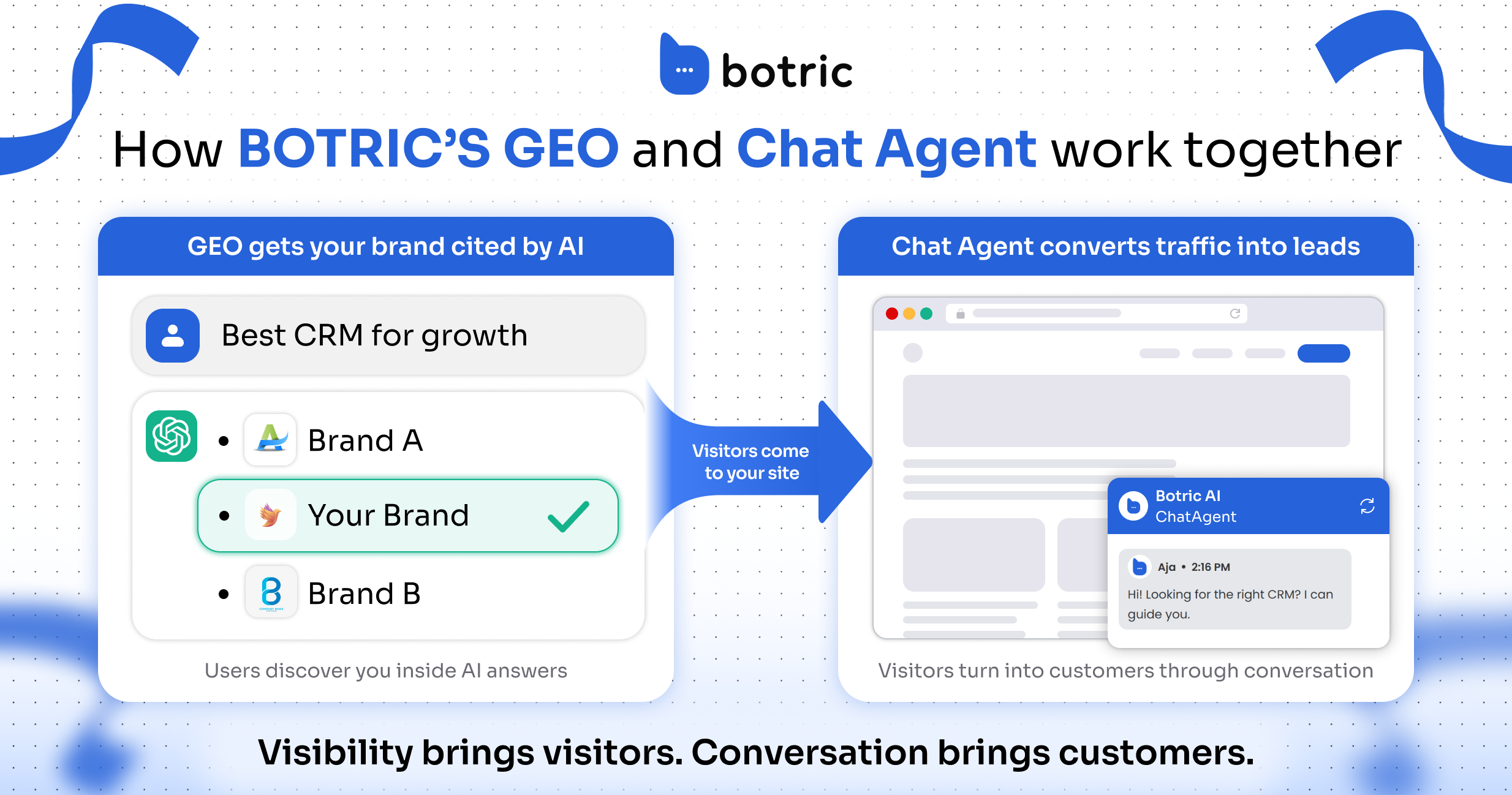
This is where the AI takes shape. The quality of what you feed the agent during training directly determines how accurately and consistently it responds. Focus on high-quality inputs rather than volume.
Train Your AI with FAQs and Customer Data
Botric uses Knowledge Sources, curated business data that shapes how the agent responds. These can include:
- Brand voice and tone guidelines
- Product documentation and feature descriptions
- Pricing pages and plan comparisons
- FAQ content from your help center
- Stylistic examples showing preferred phrasing
- Do's and Don'ts for specific scenarios
You can upload this data as documents or connect live URLs like product pages or pricing details. Live URL connections ensure the agent always pulls current information rather than working from a snapshot that can go stale.
- Ten well-crafted, on-brand examples outperform fifty inconsistent ones
- Define intent recognition rules so the AI can distinguish between similar questions ("How do I cancel?" vs. "How do I pause?")
- Include explicit "never say" phrases alongside preferred alternatives
- Add examples of your response style at different emotional tones, a calm product question vs. a frustrated billing complaint
When you connect Botric to your CRM or order management system, the agent can access customer-specific context, purchase history, active subscriptions, open tickets, enabling personalized responses without human lookup. A consistent brand identity across all customer interactions drives up to 23% higher sales, and 75% of consumers are more likely to purchase from companies that personalize communication.
"Botric's agents resolve common questions quickly and qualify inbound users before they reach the team, making it easier to scale support without increasing workload.", Tom Whitehill, Digital Strategy Lead, Red Sky Research
Add Multi-Language Support for a Global Audience
If you serve customers across multiple regions, enabling multi-language support avoids the need for separate agent setups per language. In Botric's Settings tab, set a default language for standard responses. For generative replies, the agent automatically detects the user's language from their browser settings and responds accordingly, falling back to your default if the language is not supported.
Activate "Translate AI agent messages" to automatically translate standard responses into the customer's preferred language. For brand-sensitive elements, product names, taglines, specific terminology, custom translation overrides let you control how those phrases appear in each language.
Step 4: Test and Improve Automated Workflows
No AI agent goes live perfectly calibrated. Testing before launch, and continuously post-launch, is what separates agents that erode trust from agents that earn it.
Run Workflow Tests Before Going Live
Before deploying, simulate customer interactions in a staging environment. Test CRM triggers, escalation paths, and edge case handling without touching live customer data.
Build a test suite of 30 queries broken into three categories:
- 10 standard queries, the high-volume, predictable questions your agent should nail every time
- 10 worst-case scenarios, frustrated customers, ambiguous questions, complex multi-part inquiries
- 10 edge cases, unusual situations, product combinations, or topics outside the agent's primary scope
Score each response on accuracy, tone consistency, and escalation logic, a simple 0–2 scale per criterion works well.
"Testing your AI agent is a very important step in your onboarding journey to ensure your AI agent is ready to graduate and become a fully functioning member of your customer support team.", Zendesk Team
Involve marketing in tone review and operations in factual accuracy checks, not just your development team.
Do a phased rollout rather than going live everywhere at once. Deploy on a low-traffic page first, monitor for 3–5 days, then expand to 10% of users before full deployment. This gives you clean, manageable data to validate performance before the stakes are high.
Track Performance Metrics and Adjust Settings
Once live, shift to ongoing performance monitoring. The metrics below give you a complete picture of whether the agent is actually delivering for customers, not just deflecting tickets.
| Metric Category | Key KPI | Target Benchmark |
|---|---|---|
| Efficiency | Automation Rate | 60–80% |
| Efficiency | First Response Time | Under 3 seconds |
| Quality | CSAT Score | 4.0 / 5.0 or higher |
| Quality | Answer Accuracy | Above 95% |
| Business | Cost per Resolution | 50–70% below human baseline |
| Operational | Knowledge Base Coverage | Above 80% |
By the 90-day mark, most teams achieve a 40–50% deflection rate. If your results fall short, review 50–100 random AI conversations weekly, the cause is almost always a gap in your knowledge base or a prompt that needs tightening.
When making adjustments, change one element at a time.
"High automation with low CSAT means you're frustrating customers efficiently.", Chatsy
Deflection rate only matters if customers are actually getting what they need. CSAT and answer accuracy are your proof that automation is helping, not just cutting corners.
Best Practices for Keeping AI Chat Agents On-Brand
Deploying an AI agent is the start, not the finish. Ongoing updates and smooth handoffs to human agents are what keep the system performing as your brand evolves.
Keep Your AI Updated with New Information
Every product launch, policy revision, or messaging change needs to be reflected in your agent's knowledge base immediately. Stale responses erode customer trust faster than no AI at all.
| Frequency | Task |
|---|---|
| Real-time | Re-index new product pages, pricing changes, and policy updates |
| Weekly | Review CSAT scores and identify patterns in unanswered or escalated questions |
| Monthly | Audit 50+ chat logs for tone consistency and vocabulary drift |
| Quarterly | Resolve conflicts between older and newer documents in the knowledge base |
Watch for voice drift, the gradual shift in tone that happens as new content is added without revisiting the original voice guidelines. Test the chatbot monthly using 25 realistic scenarios to catch this early. Maintain a "never-use" list of jargon, buzzwords, or phrases that do not fit your brand, and update it as your messaging evolves.
"AI training is not a one-time thing, but needs to be adjusted with the growth of the brand. Make sure that the AI training data is updated whenever there is a new tone, style, or message.", Saima Kausar, Senior Content Writer, ServQuik
Design Clear Handoffs to Human Agents
Every AI agent will eventually hit a question it cannot handle well. What matters is how that moment is managed. 74% of consumers say having to repeat their information after speaking with a bot is "very frustrating", and this is exactly what happens when handoffs are poorly designed.
A seamless handoff passes the full conversation history, relevant customer data, and a summary of what has already been attempted to the human agent, the customer continues without starting over.
- Signs of emotional frustration or escalating tone in the conversation
- Complex billing disputes or account irregularities outside standard policy
- High-value customers or enterprise accounts flagged in your CRM
- Questions involving legal, compliance, or sensitive personal data
- Any scenario where the AI has attempted a resolution and failed twice
How the AI communicates the handoff matters as much as the trigger logic. A message like "I want to make sure you get the right help, let me connect you with a teammate" keeps the experience warm and on-brand. A generic "Transferring to agent..." does not.
During the 3–5 second routing process, display a branded status message, something like "Reviewing your account details...", to fill the gap and keep the interaction feeling intentional.
Conclusion
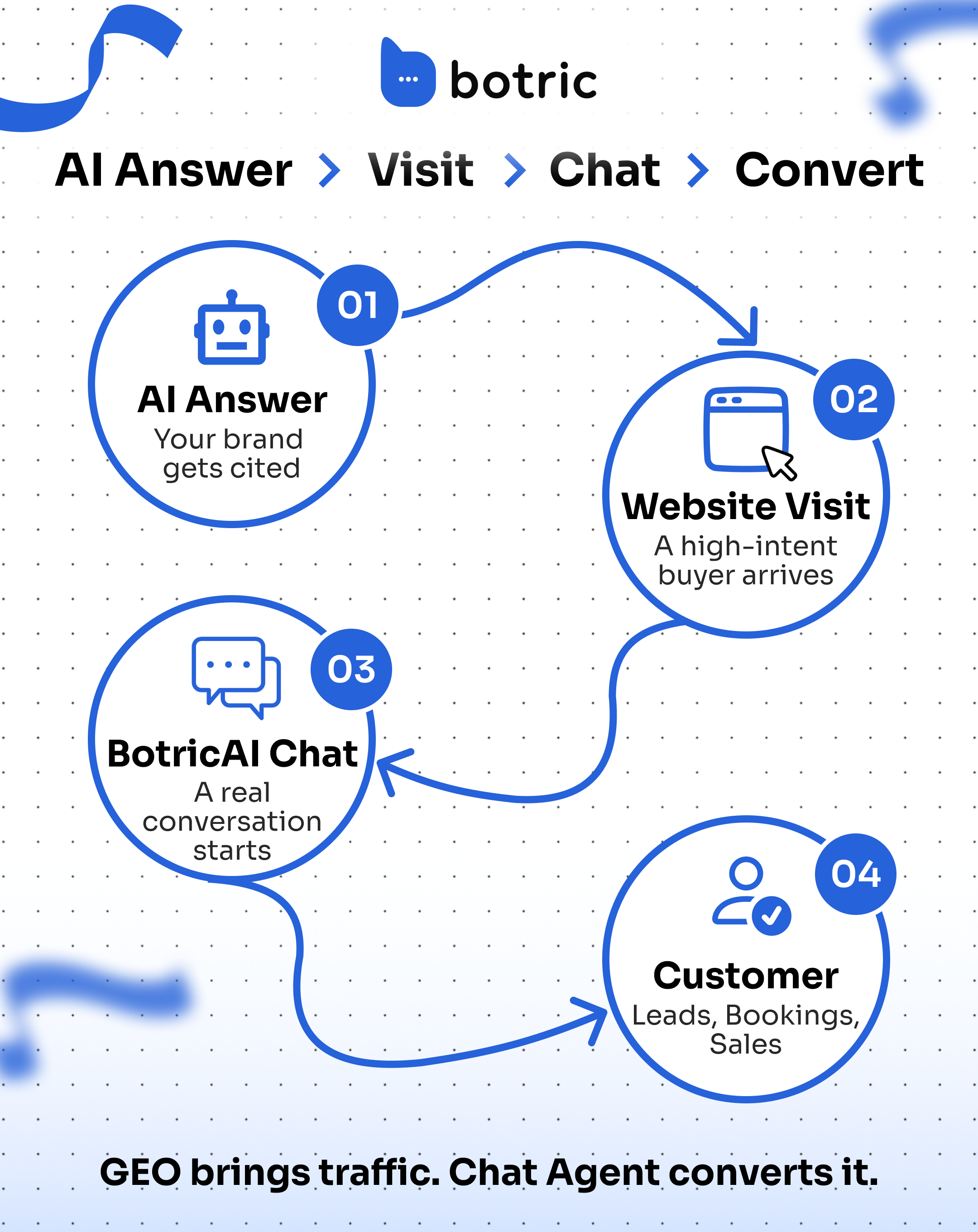
An AI chat agent is only as good as the brand voice behind it, the data it is trained on, and the discipline applied to keeping it updated. When those three elements are in place, the result is a support system that handles 80% of inquiries automatically, responds in under three seconds, and improves over time rather than drifting off-brand.
The five-step framework in this guide, define your voice, choose the right plan, train with quality data, test rigorously, and maintain continuously, applies regardless of your team size or industry.
"Botric's agents resolve common questions quickly and qualify inbound users before they reach the team, making it easier to scale support without increasing workload.", Tom Whitehill, Digital Strategy Lead, Red Sky Research
Start with your brand voice documentation this week. If you already have a style guide, extract the tone rules and build your "never-do" list from it. Then run the Two-Person Test before touching any AI configuration.
Ready to deploy? Set up your Botric agent today →
Key Takeaways
- Define your brand tone as concrete language rules before configuring any agent.
- Train the agent on real FAQs, past tickets, and product documentation.
- Test workflows against real customer questions before going live.
- Set clear handoff rules so complex issues reach a human quickly.
- Review transcripts regularly and update the agent as your product changes.
Frequently Asked Questions
What is the fastest way to turn our brand voice into AI rules?
Start from your existing brand guidelines and extract two things: a list of 2–4 tone adjectives with concrete language rules for each, and a "never-use" list of phrases that do not fit your brand. Feed both into your AI agent's system prompt alongside 10–15 example exchanges written in your preferred voice. This gives the agent a clear behavioral baseline from the first conversation. Avoid vague descriptors like "friendly" without examples, the more concrete the rules, the more consistent the output.
How do I know when the AI should hand off to a human agent?
Define escalation triggers before going live, not after problems emerge. Standard triggers include: signs of emotional frustration in the customer's messages, billing or account disputes outside standard policy, queries the AI has failed to resolve after two attempts, and any interaction flagged by your CRM as a high-value account. When the handoff occurs, pass the full conversation history to the human agent so the customer does not have to repeat themselves. This is the single most important detail in keeping handoff quality high.
What data should I connect so the bot can answer order and account questions?
Connect your order management system and CRM at minimum, these give the agent access to order statuses, purchase history, account tier, and open tickets. With this data, the agent can resolve the majority of "where is my order?" and "what is my current plan?" queries without escalation. Make sure the integration supports real-time lookups rather than periodic syncs, so the agent is always working from current data rather than a snapshot that may be hours old.